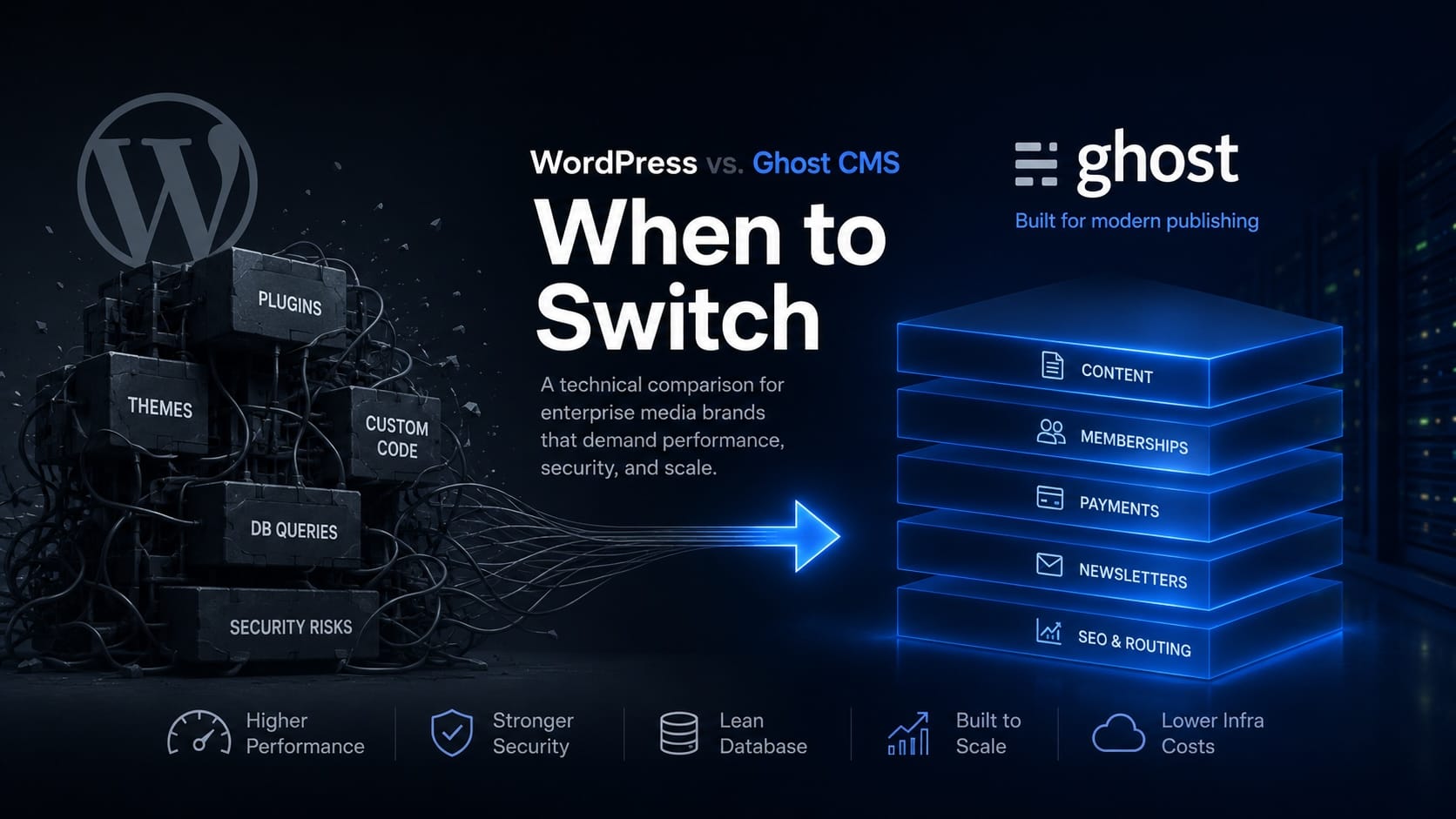
WordPress runs over 40% of the web for a clear reason: it is the ultimate general-purpose monolithic Content Management System (CMS). If you are building a corporate marketing site, a localized business directory, or a mid-scale blog, its massive plugin ecosystem is an undeniable asset.
But for enterprise media brands managing extensive content archives—where databases house 50,000+ historical posts and traffic spikes into millions of concurrent pageviews—the monolithic architecture begins to extract a steep technical tax.
When your editorial production line slows down because the admin panel is sluggish, or your cloud infrastructure costs spike because your relational database is constantly choking on entity-attribute-value queries, you aren’t facing a content problem. You are facing an architectural bottleneck.
For high-volume publishing, transitioning from a PHP-based monolith to a modern, decoupled Node.js stack like Ghost CMS isn't just an upgrade in user interface—it is a fundamental shift in infrastructure efficiency. Let’s break down the underlying engineering realities of why enterprise media brands reach the limits of WordPress, and how Ghost resolves them at scale.
1. The Database Crisis: Relational Bloat vs. Lean Schema
To understand why enterprise WordPress sites slow down over time, you have to look under the hood at how data is structured.
WordPress relies heavily on the Entity-Attribute-Value (EAV) storage model through its wp_postmeta table. Instead of assigning individual database columns for specific post variables, WordPress dumps metadata into a highly generic table consisting essentially of four columns: meta_id, post_id, meta_key, and meta_value.
[wp_posts Table]
ID | post_title | post_content
------------------------------
1  | Article X  | "Lore ipsum..."

   |
   |-- (Triggers dozens of JOIN queries per page load)
   v

[wp_postmeta Table (EAV Model)]
meta_id | post_id | meta_key          | meta_value
--------------------------------------------------
101     | 1       | _thumbnail_id     | 542
102     | 1       | primary_category  | 12
103     | 1       | seo_title         | "Custom SEO Title"
104     | 1       | paywall_type      | "premium"
For every custom field, SEO override, paywall parameter, or editorial flag you add via plugins, a new row is appended to this single table. On a site with 100,000 articles and 20 metadata properties per article, the wp_postmeta table balloon into millions of rows.
When a visitor loads a page, the server must execute multiple, complex database JOIN commands just to assemble a single article's properties. When breaking news hits and concurrent traffic spikes, the database CPU hits 100% saturation, throwing 504 Gateway Timeout errors.
The Ghost Alternative: Deterministic Database Mapping
Ghost CMS approaches data with a strictly defined, optimized relational schema utilizing MySQL (production) or SQLite (development). Because core publishing mechanics—such as memberships, tiered access, newsletters, and clean SEO routing—are native features built directly into the core application, they possess dedicated, indexed columns and specialized relational tables.
A request to pull a post inside Ghost doesn't require traversing a monolithic, multi-million-row metadata junk drawer. It pulls highly structured data rapidly, dramatically reducing IOPS (Input/Output Operations Per Second) and allowing your database layer to breathe.
The Architectural Takeaway: Moving to Ghost scales your database operations linearly. As your archive grows from 5,000 to 50,000 articles, your database payload remains lean, leading to a massive drop in monthly AWS or Google Cloud infrastructure spend.
2. The Security Overhead of the "Plugin Trap"
An out-of-the-box WordPress installation cannot run a modern digital media enterprise. To support subscription paywalls, clean newsletter delivery, advanced user comments, and robust SEO optimizations, technical teams must stack complex plugins (e.g., MemberPress, Yoast, Advanced Custom Fields, and a newsletter sync daemon).
This introduces the Plugin Trap. Every third-party plugin added to a monolithic codebase expands your attack surface. According to global cybersecurity indexes, over 90% of WordPress vulnerabilities originate within third-party plugins and themes rather than the core framework.
For an enterprise publisher, this creates immense operational friction:
- Continuous Maintenance Audits: Engineering teams must spend dozens of hours every month managing staging environments to test plugin updates, ensuring a patch to a membership plugin doesn’t inadvertently crash the payment gateway.
- Fragile Dependencies: You are fundamentally relying on independent, third-party developers to keep their code secure, performant, and compliant with the latest PHP versions.
- Heavy WAF Relying: Brands are forced to pay premium enterprise licensing fees for Web Application Firewalls (WAFs) like Cloudflare Enterprise just to patch zero-day vulnerabilities in plugins they don't even control.
Ghost isolates its core functionality. Content delivery, subscriber authentication, Stripe integrations, and newsletter composition are designed and maintained natively by a single, focused engineering team.
+-------------------------------------------------------------+
|                        GHOST ENGINE                         |
|                                                             |
|  [Content Core] ----> [Native Membership] ----> [Stripe API]  |
|         |                                                   |
|         v                                                   |
|  [Built-in SEO] ----> [Native Newsletter Engine (Mailgun)]   |
+-------------------------------------------------------------+
               (Zero third-party plugin overhead)
Because there is no fragmented ecosystem of disparate plugins competing for runtime priority, the attack surface is minimized down to the core Node.js application layer. Security patching becomes a predictable, minor operations task rather than an unpredictable emergency.
3. High-Concurrency Scaling: Node.js vs. Synchronous PHP
When an article goes viral or a breaking news alert drops via push notification, thousands of users hit your infrastructure simultaneously. This is where the runtime environments of WordPress and Ghost diverge sharply.
WordPress operates on PHP, which traditionally processes execution threads synchronously. Every single incoming user request typically instantiates a separate PHP process thread on your server. If a request blocks while waiting for a slow database response or an external tracking API, that thread remains tied up. If your server runs out of available worker threads, subsequent visitors encounter a stalled, unyielding blank page.
While advanced server caching layers (such as Redis or Nginx FastCGI caching) mitigate this for anonymous visitors, caching breaks down the moment a user logs into a profile, accesses a premium paywall tier, or interacts with a personalized dashboard. Personalized pages must be rendered dynamically by the server, forcing PHP to fire on every click.
Non-Blocking Asynchronous Architecture
Ghost is built on Node.js, utilizing an event-driven, non-blocking asynchronous I/O model. Instead of dedicating an entire thread to a single user request, Node.js manages thousands of concurrent connections on a single execution thread.
[PHP / WordPress Monolith]
Request 1 ----> [Thread 1] ----> (Blocks on Database Join) -> User Waits
Request 2 ----> [Thread 2] ----> (Processing)
Request 3 ----> [Thread 3] ----> (Waiting for thread pool allocation)

[Node.js / Ghost Stack]
Request 1 ----+
Request 2 ----+---> [Event Loop] ---> (Dispatches DB calls asynchronously)
Request 3 ----+                        |-> Handled instantly without blocking
If a user requests a premium article, Ghost initiates the database read asynchronously. While the database is fetching the post content, the main event loop immediately moves on to serve the next incoming request.
This asynchronous handling allows Ghost to achieve incredible throughput. A standard, low-resource virtual machine running Ghost can frequently process thousands of additional concurrent requests per second compared to a similarly provisioned WordPress instance running a heavy membership plugin stack.
The Verdict: When is it Time to Switch?
Migrating an enterprise operation is a deliberate, strategic undertaking. You do not need to leave WordPress if your site is structurally simple and rarely faces high dynamic traffic volumes. However, you should prioritize a migration roadmap to Ghost CMS if your platform hits any of these specific thresholds:
- Dynamic Paywall Fatigue: Your membership plugin regularly conflicts with your caching layers, causing premium users to randomly get locked out or see stale page versions.
- Archive Sluggishness: Your database size has crossed 20GB+, and search queries or category indexing pages require complex indexing rules or costly dedicated search clusters (like Elasticsearch) just to load under two seconds.
- High DevOps Overhead: Your development team spends more time running security regressions and managing plugin updates than shipping new product features or optimizing user experience.
By moving your media pipeline over to Ghost CMS, you swap out a legacy, highly fragmented architecture for an enterprise-grade publishing engine built from the ground up to do exactly one thing flawlessly: deliver high-performance content at scale.
Ready to audit your media architecture?
Moving an enterprise media operation with millions of legacy records requires deep infrastructure expertise. At Inoryum, we specialize in high-volume migrations, data sanitization, and setting up custom headless layers with zero downtime.Contact our engineering team to discuss your migration roadmap.